Wavvy Surf
EnglishEN
Coming soon

Web browser for Android TV & Google TV

The web on your TV, without the ads

No ads. No account. No premium.

Wavvy Surf is a fast web browser made for Android TV and Google TV. It blocks ads and trackers before a page even loads, turns your remote into a mouse and plays videos full screen. It is completely free, and there are no ads inside the browser.

Coming soon to Google PlaySee what it can do

Completely free · No subscription · No in-app purchases · No account

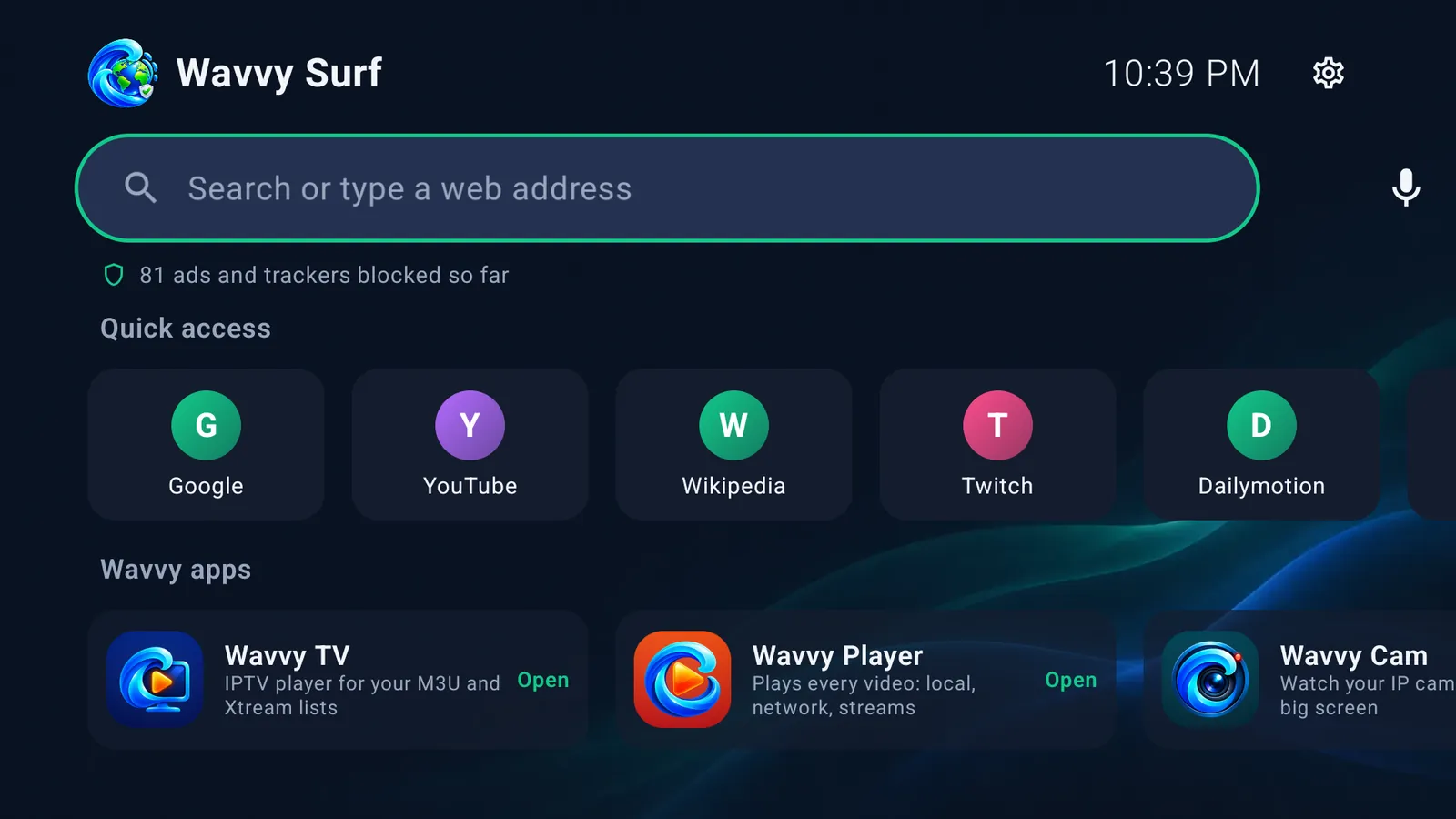
Wavvy Surf home screen on a TV: search bar, ads blocked counter and quick access tiles
COMPLETELY FREENO ADSANDROID TVGOOGLE TVEASYLIST + EASYPRIVACYVOICE SEARCHTYPE ON YOUR PHONE50 LANGUAGES
Made for the TV remote

Your remote works like a mouse

No mouse or keyboard needed. Everything works with the standard TV remote.

  • Pointer mode: the arrow keys move a pointer that speeds up while you hold them, and OK clicks
  • The page scrolls when the pointer reaches the edge
  • Link mode: the arrow keys jump from link to link and OK opens it, great for news sites and long lists
  • Push the pointer to the top of the page and the toolbar slides down
  • Adjustable pointer speed and text size for reading from the couch
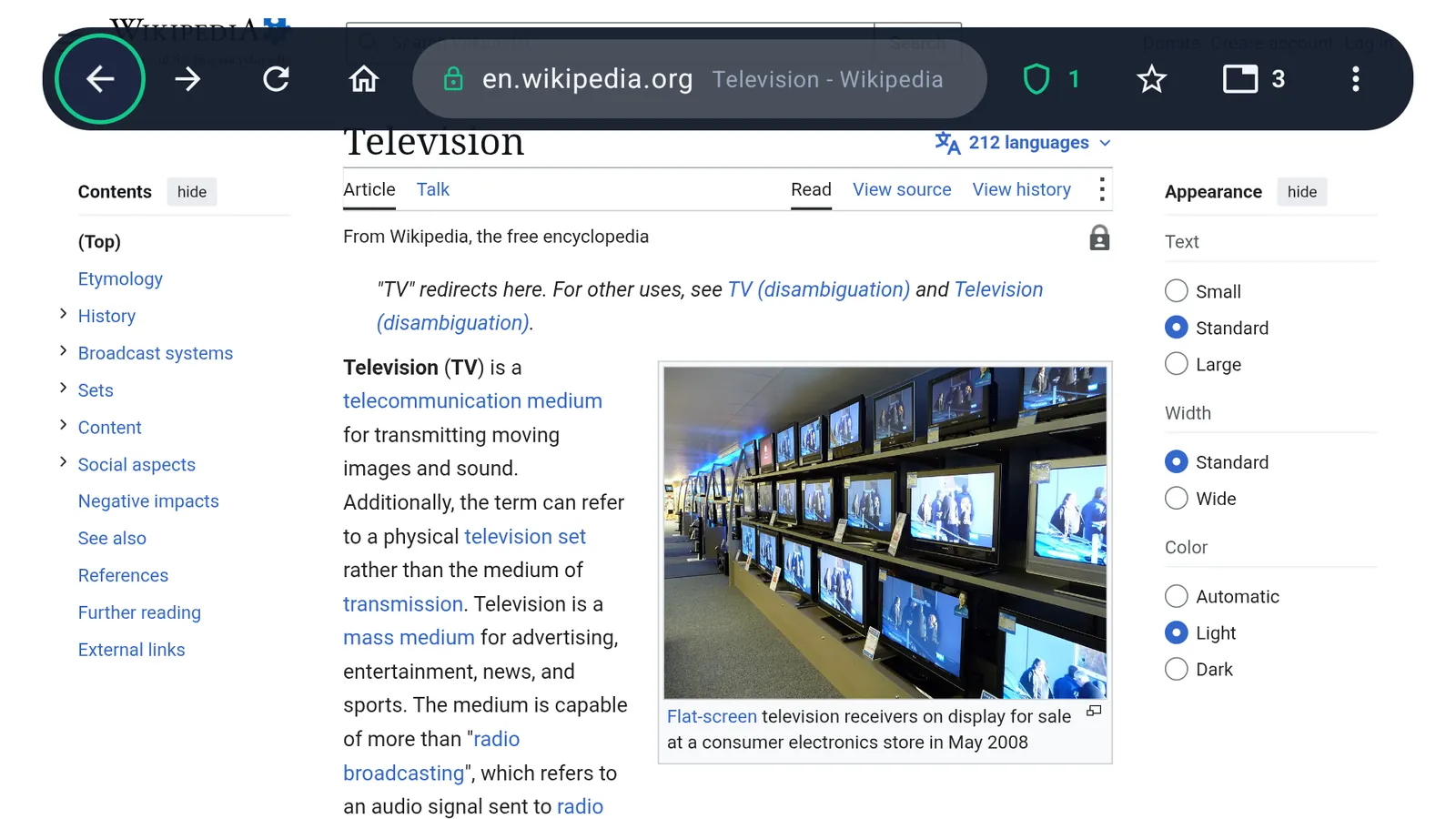
The Wavvy Surf toolbar over a web page on a TV
Ad and tracker blocker

Ads, pop-ups and trackers, blocked

Blocking runs on the TV itself, before a page even loads. The filter lists update automatically.

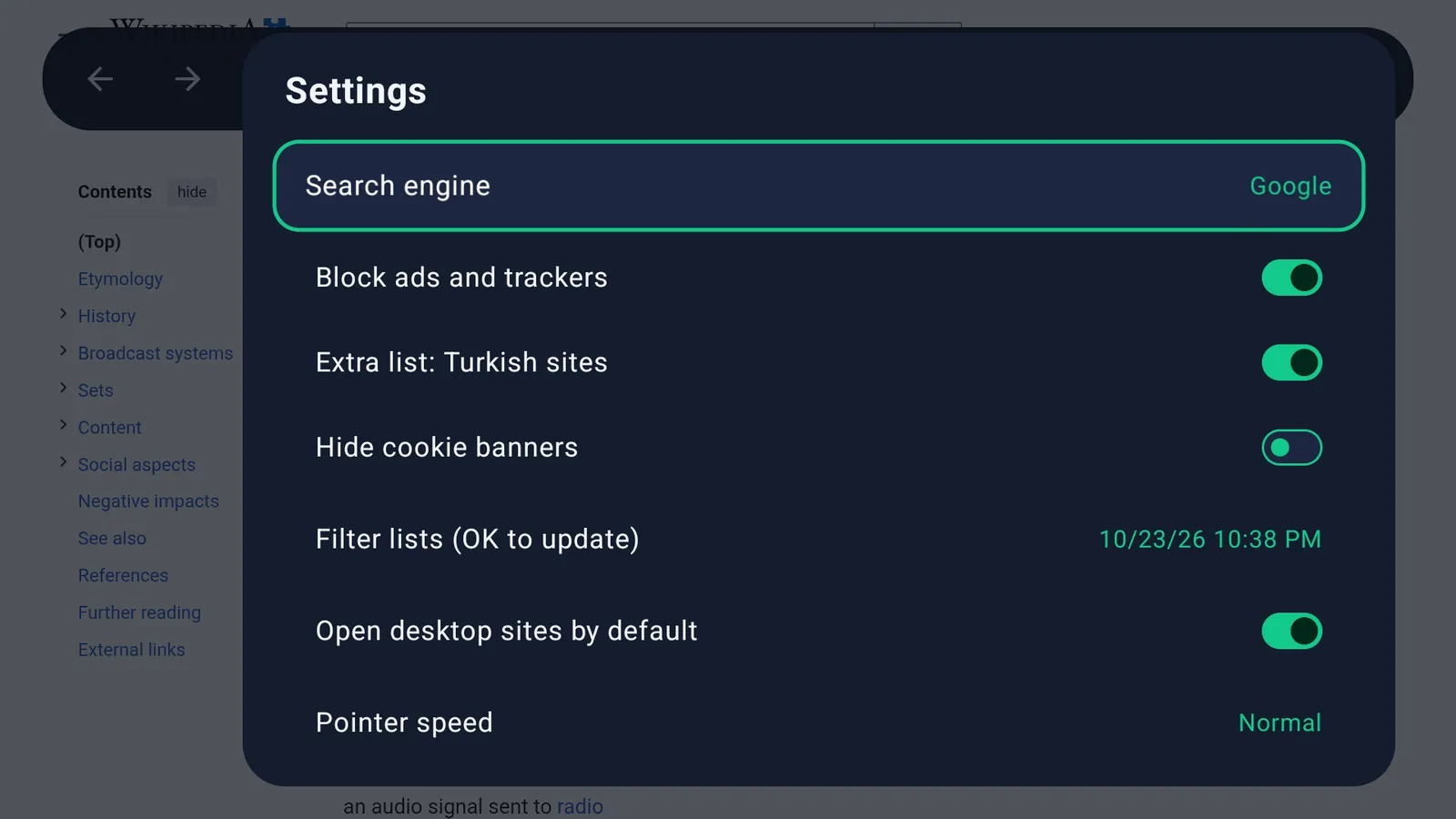
  • Blocks ads, pop-ups and trackers with the EasyList and EasyPrivacy filter lists
  • Extra list for Turkish sites and an option to hide cookie banners
  • See how many ads were blocked on each page and in total
  • A site does not work? Turn blocking off for that site only with one press
  • Pages that a site opens on its own get a one-press close button
Wavvy Surf settings: block ads and trackers, extra list for Turkish sites, hide cookie banners, filter lists
Videos on the big screen

Web videos, full screen

Play the videos on a web page full screen and control them with the remote.

  • OK pauses, left and right skip 10 seconds, Back exits
  • The screen saver does not interrupt a video that is playing
  • When a page has a video stream, open it in Wavvy Player for subtitles, audio tracks and smooth seeking
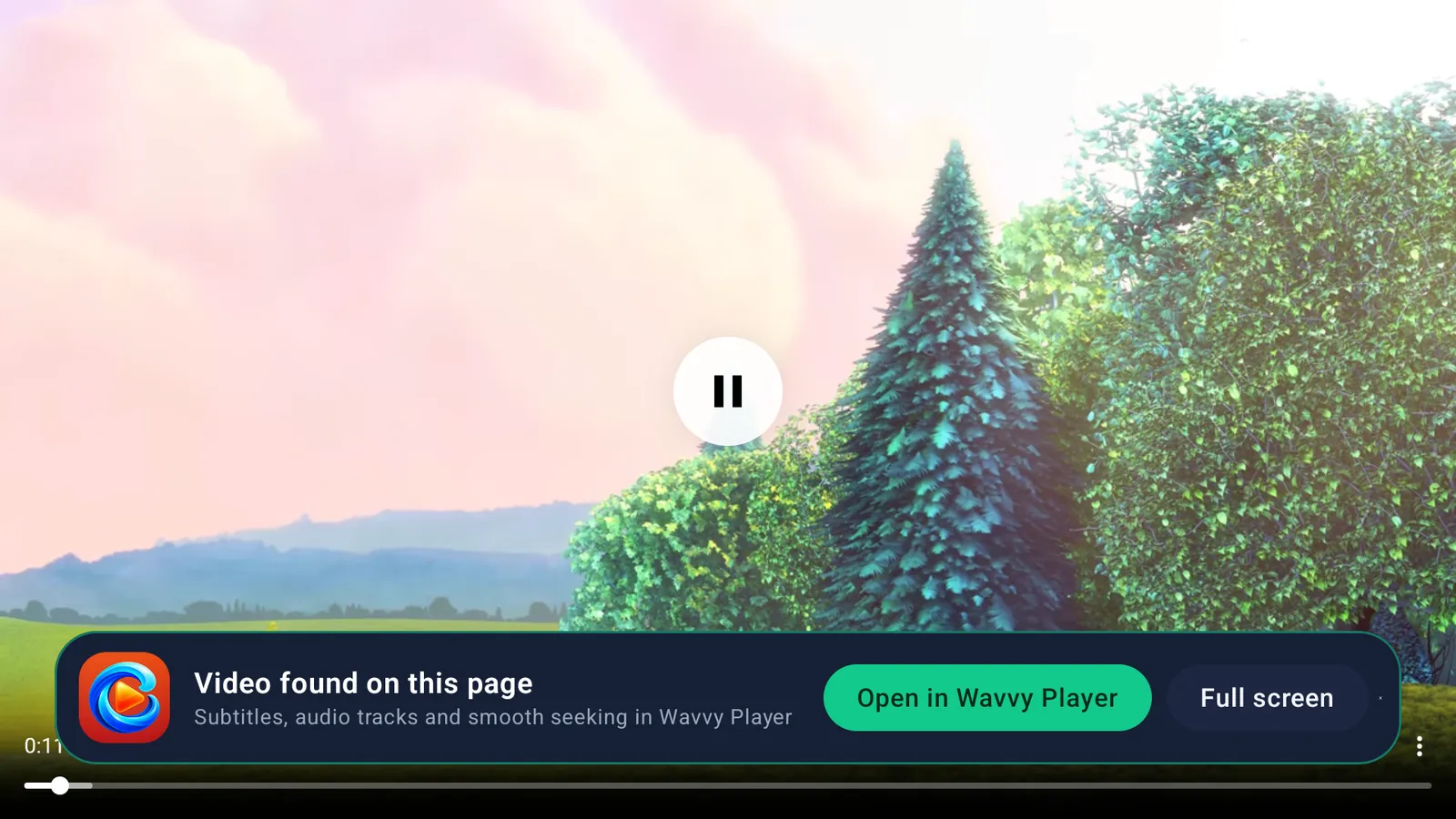
A web video playing full screen in Wavvy Surf
Video found on this page, with Open in Wavvy Player and Full screen buttons

Video: Big Buck Bunny © Blender Foundation, CC BY 3.0

Type less with the remote

Type on your phone, read on your TV

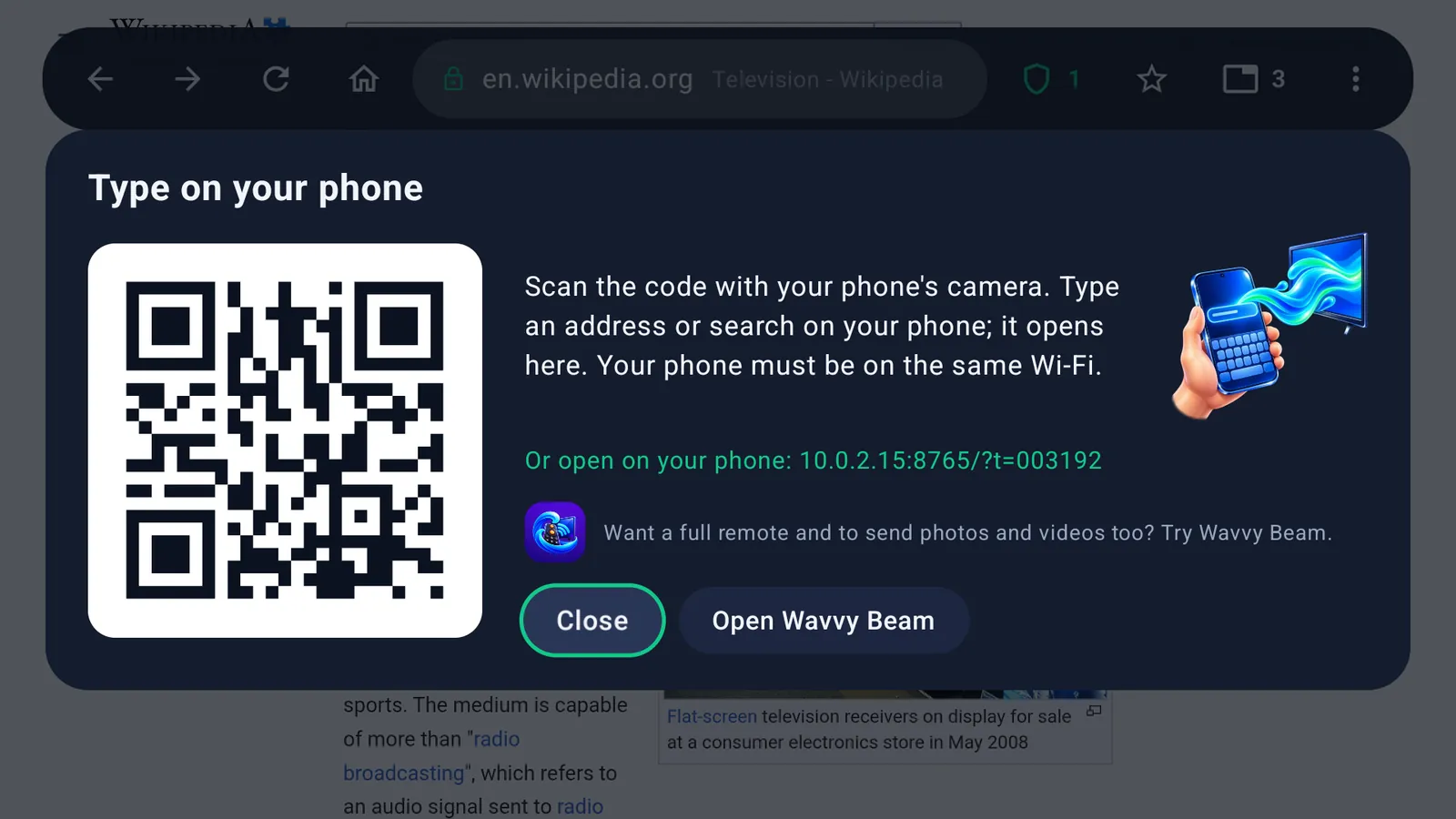
Scan the code on the TV with your phone camera and type there. The page opens on the TV.

  • Works over your own Wi-Fi, nothing passes through our servers
  • Voice search with the microphone button
  • Quick access tiles for the sites you use most
The Type on your phone panel with a QR code on the TV
A complete browser

Everything you expect from a browser

Wavvy Surf uses the web engine already on your TV, so the app is small and runs well on low memory TV boxes and sticks.

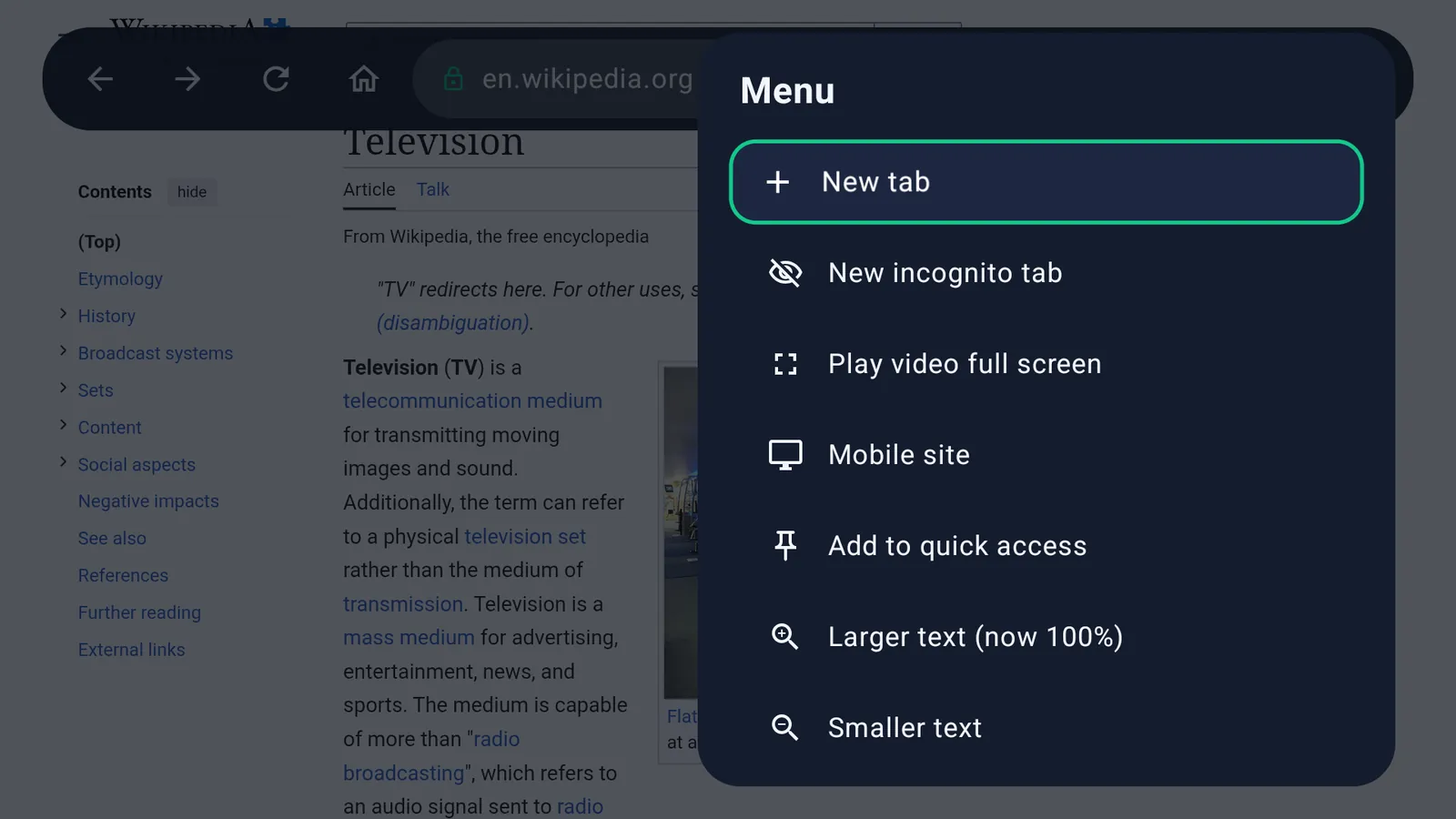
  • Tabs and incognito tabs
  • Bookmarks and history
  • Desktop or mobile version of any site
  • Downloads, with a confirmation before each file
  • Search with Google, DuckDuckGo, Bing or Yandex
  • 50 languages
The Wavvy Surf menu: new tab, new incognito tab, play video full screen, mobile site, text size
Free, no ads, private

No ads. No account. No premium.

Wavvy Surf is completely free: no subscription, no in-app purchases, nothing to unlock. Every feature is included for everyone.

Price
Completely free
  • No subscription
  • No in-app purchases
  • No account or sign-in
  • Every feature included
Ads
No ads
  • No ads inside the browser
  • Ads, pop-ups and trackers on the sites you visit are blocked
  • No advertising ID is used
Privacy
Private by design
  • History, bookmarks and tabs stay on your TV
  • We never receive the pages you visit or what you search
  • Only anonymous usage counts, crash reports and a live user count are collected

Wavvy Surf sometimes suggests our other Wavvy apps, for example “Open in Wavvy Player” when a page plays a video. Every detail is in our Privacy Policy.

How it works

Start browsing in three steps

No setup and no sign-up. Open the app and go.

Search or pick a site

Open Wavvy Surf and search, say what you want with voice search, or pick a quick access tile.

Point and click

Move the pointer with the arrow keys and press OK to click, just like a mouse.

Hold OK for more

Hold OK for the menu: open a link in a new tab, switch to link mode or show the toolbar.

Frequently asked questions

Is Wavvy Surf really free?

Yes. Wavvy Surf is completely free: no subscription, no in-app purchases and no account. There are no ads inside the browser, and the ads on the sites you visit are blocked too.

Which devices does it work on?

Wavvy Surf is made for TVs, TV boxes and sticks with Android TV or Google TV (Android 7.0 or later). There is no phone or tablet version.

Why do I still see some ads?

Some sites serve ads from the same place as the content, so a few can get through. Filter lists update every few days.

A site does not load correctly?

Turn blocking off for that site from the shield button, or switch between the desktop and mobile site in the menu.

Can I sign in to my accounts?

Yes. If a sign-in page refuses the TV, switch to the desktop site and try again.

Does it work without a mouse?

Yes, everything works with the standard TV remote. For long text, use voice search or type on your phone.

What data does Wavvy Surf collect?

Your history, bookmarks and tabs stay on your TV, and ad blocking runs on the TV itself. We never receive the pages you visit or what you search. Only anonymous usage counts, crash reports and a live user count are collected so we can improve the app. Every detail is in our Privacy Policy.

Wavvy family

More from Wavvy

More apps from the makers of Wavvy Surf, made for your TV.

Wavvy TV

IPTV player for your M3U and Xtream lists

Visit website

Wavvy Player

Plays every video: local, network, streams

Visit website

Wavvy Cam

Watch your IP cameras on the big screen

Visit website

Wavvy Beam

Send from your phone to the TV, use it as a remote

Visit website

The web on your TV, without the ads.

Completely free. Coming soon to Google Play for Android TV and Google TV.

Coming soon to Google Play